Your assistant. Your rules.
Choose the tools, folders, and actions Zinley can use. Review approval requests before the work continues.
Turn on only what the job needs.
Turn off tools you do not need. Check each tool’s permissions and approval settings before handing it a task.
- Enable only the tools a task needs
- Change access without restarting Zinley
- Review current permissions in one place
- Review each tool’s approval settings
Keep private folders out of reach.
Choose which folders to block. With directory guardrails enabled, access to those folders asks for permission. Folders outside the list remain available.
- Add sensitive folders to your blocked list
- Apply a folder rule to its subfolders
- Review requests to access a blocked folder
- Change the list whenever you need
Stay in touch through Telegram.
Message Zinley from Telegram to review progress and give instructions. Requests that need a product approval step stay in that workflow.
- Review progress and give instructions
- Complete approval requests in the required workflow
- Continue the same task and context
- Disconnect the channel when you no longer need it
Review what Zinley did.
Open History for calls, emails, and receipts. Call and email history depends on your plan; recordings and transcripts may expire. Receipts remain available outside that viewing window.
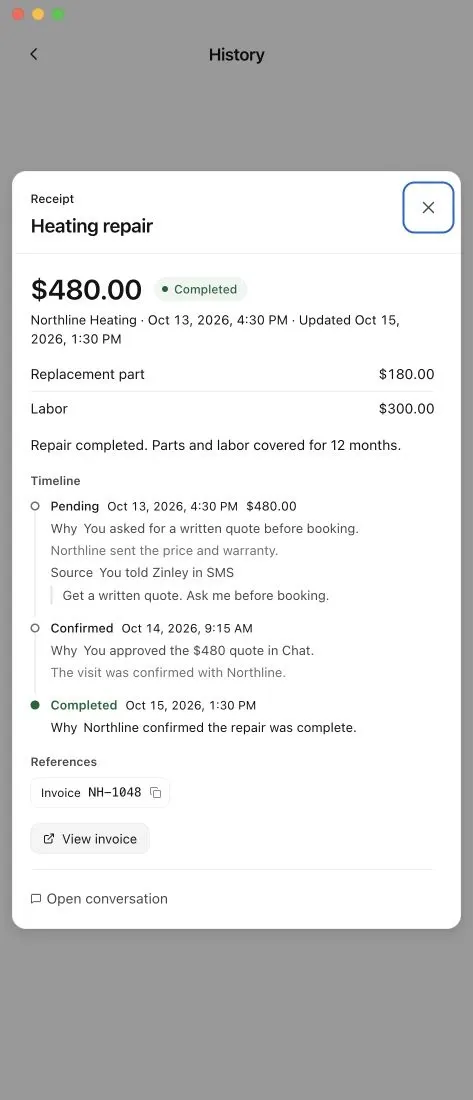
Activity history
See supported tool activity and the result returned to the task.
Visible access
Check which tools and folders are currently available to Zinley.
Your rules
Adjust its instructions and boundaries. Guide how it handles the next task.
Approval requests
Review the action and the access it needs before approving.
Start small. Add access when you need it.
Zinley stays clearly identified as AI and follows the limits you set.